Generate Random Password Using C#
This article will explain how to generate random password using C# and create strong password, let’s follow this tutorial below.
Step 1:
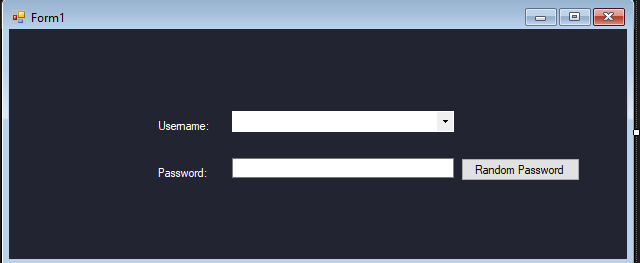
Design windows form application like this (see below image)
- txtusername
- txtpassword
- Button1
Step 2:
Source Code for Random Password (Button1) clicked event:
using System;
using System.Collections.Generic;
using System.ComponentModel;
using System.Data;
using System.Drawing;
using System.Linq;
using System.Text;
using System.Threading.Tasks;
using System.Windows.Forms;

namespace RandomPasswordUsingCsharp
{
    public partial class Form1 : Form
    {
        public Form1()
        {
            InitializeComponent();
        }
        static string Shuffle(string input)
        {
            var q = from c in input.ToCharArray()
                    orderby Guid.NewGuid()
                    select c;
            string s = string.Empty;
            foreach (var r in q)
                s += r;
            return s;
        }
        private void button1_Click(object sender, EventArgs e)
        {
            int passLength = 6;
            txtpassword.Text = "";
            string text = "aAbBcCdDeEfFgGhHiIjJhHkKlLmMnNoOpPqQrRsStTuUvVwWxXyYzZ01234567890123456789,;:!*$@-_=,;:!*$@-_=";
            text = Shuffle(text); //shuffle the above symbols using shuffle() method.
            text = text.Remove(passLength); //cut the string size according to the chosen trackbar value.
            txtpassword.Text = text;
        }
    }
}
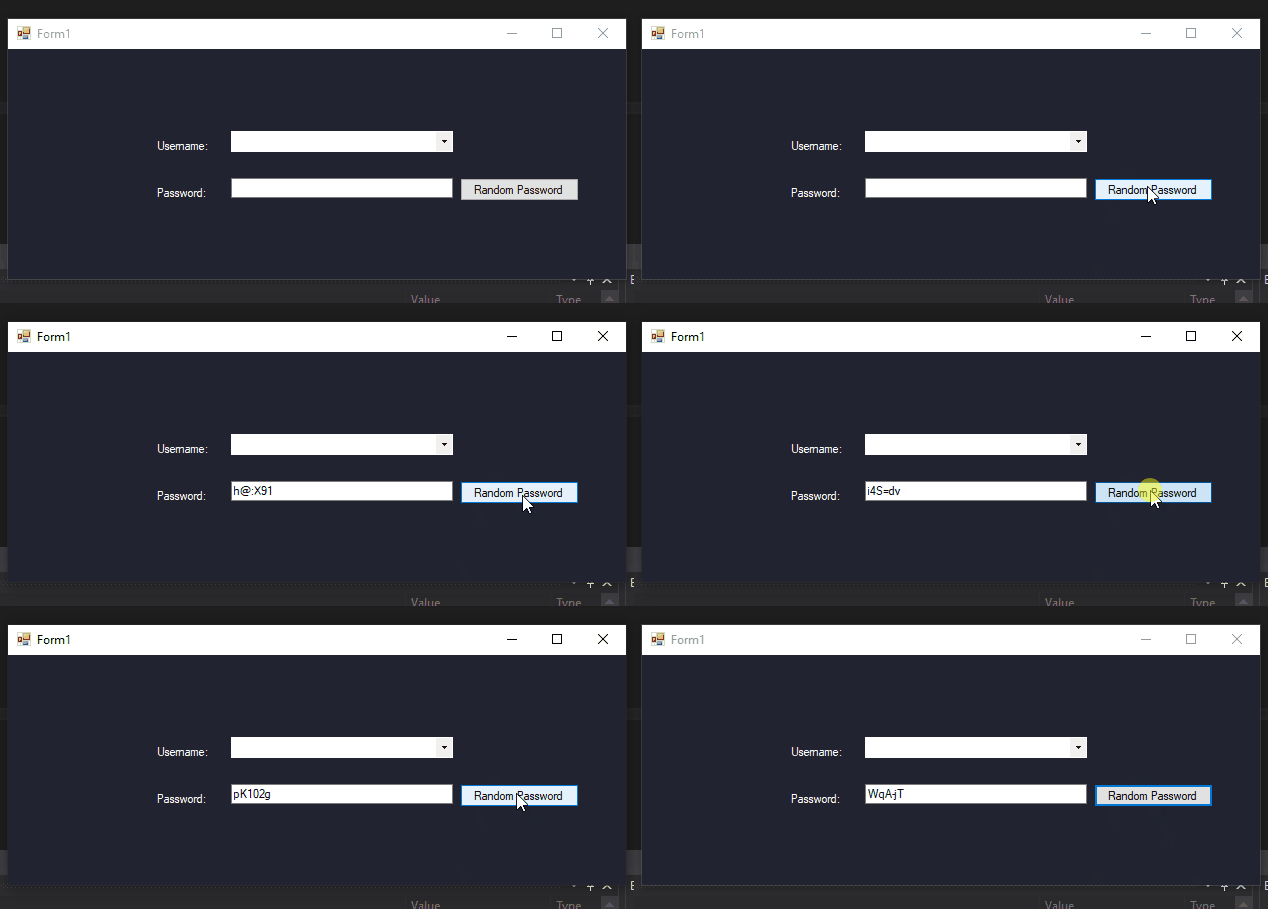
Results:
Code Explanation:
This code explain how to create a password randomly and helps user to create strong password.
Generate Random Password Using C# – Free Download Source code
Mark Jaylo
YTC: https://www.youtube.com/c/MarkTheProgrammer
You may visit our facebook page for more information, inquiries and comments.
Hire our team to do the project.