Table of Contents
- Building a Voice-Based Navigation Platform for the Visually Impaired: My Journey Developing an Inclusive Web App
- The Problem That Lit the Fire
- The Big Idea: A Conversation-First Navigation Platform
- The Tech Stack: What Actually Powered It
- Key Features That Users Actually Love
- The Tough Parts: What Almost Broke Us
- Real Impact and the Stories That Matter
- What’s Next: The Road Ahead
- Final Thoughts: Code That Gives Freedom
Hey everyone, if you’ve ever taken for granted the simple act of walking to a coffee shop or catching a bus, you might not realize how much of a daily battle it can be for someone who’s blind or visually impaired. I learned this the hard way a couple of years ago when my best friend lost most of his vision after an accident. Watching him struggle with clunky screen readers and outdated apps made me think — there has to be a better way. That frustration turned into a full-blown project: a voice-powered navigation web platform built specifically for the visually impaired. Over the last 18 months, I led a small team to create what we now call VoicePath — a browser-based platform where users simply speak their destination and get clear, step-by-step audio guidance, all without ever touching a screen.
This isn’t just another map app with voice-over slapped on. It’s a complete online platform designed from the ground up with accessibility at its core. Users log in (or use it guest-mode), speak naturally, and the system handles everything — route planning, obstacle alerts, public transport integration, and even indoor navigation in malls or offices. It runs entirely in the browser, no downloads required, which was a game-changer for people who rely on shared devices or low-cost phones. Building it taught me more about inclusive design, real-time systems, and the raw power of speech tech than any university course ever could. Let me walk you through the whole story — the wins, the headaches, and why this project still keeps me up at night in the best way.
The Problem That Lit the Fire
According to the World Health Organization, over 2.2 billion people live with some form of vision impairment. For many, getting from point A to B independently is the biggest barrier to freedom. Existing solutions like Google Maps with TalkBack or specialized apps like BlindSquare are helpful, but they often feel bolted together. Voice commands get buried under menus, indoor accuracy is spotty, and there’s zero seamless integration between outdoor GPS and indoor beacons. Plus, most require expensive hardware or constant internet.
My friend’s daily commute became our north star. He’d say things like “I just want to tell my phone ‘take me to the supermarket’ and actually get there without stress.” We wanted a platform that felt conversational — like having a helpful friend in your ear who knows the city inside out. The goal? Full independence, dignity, and safety, all delivered through a simple web interface anyone can access on any device with a microphone.
We started with endless user interviews — blind users, orientation and mobility instructors, even public transit operators. Their feedback shaped everything: “Make it work offline,” “Don’t assume I know street names,” “Alert me to construction before I walk into it.” That human input kept us honest throughout development.
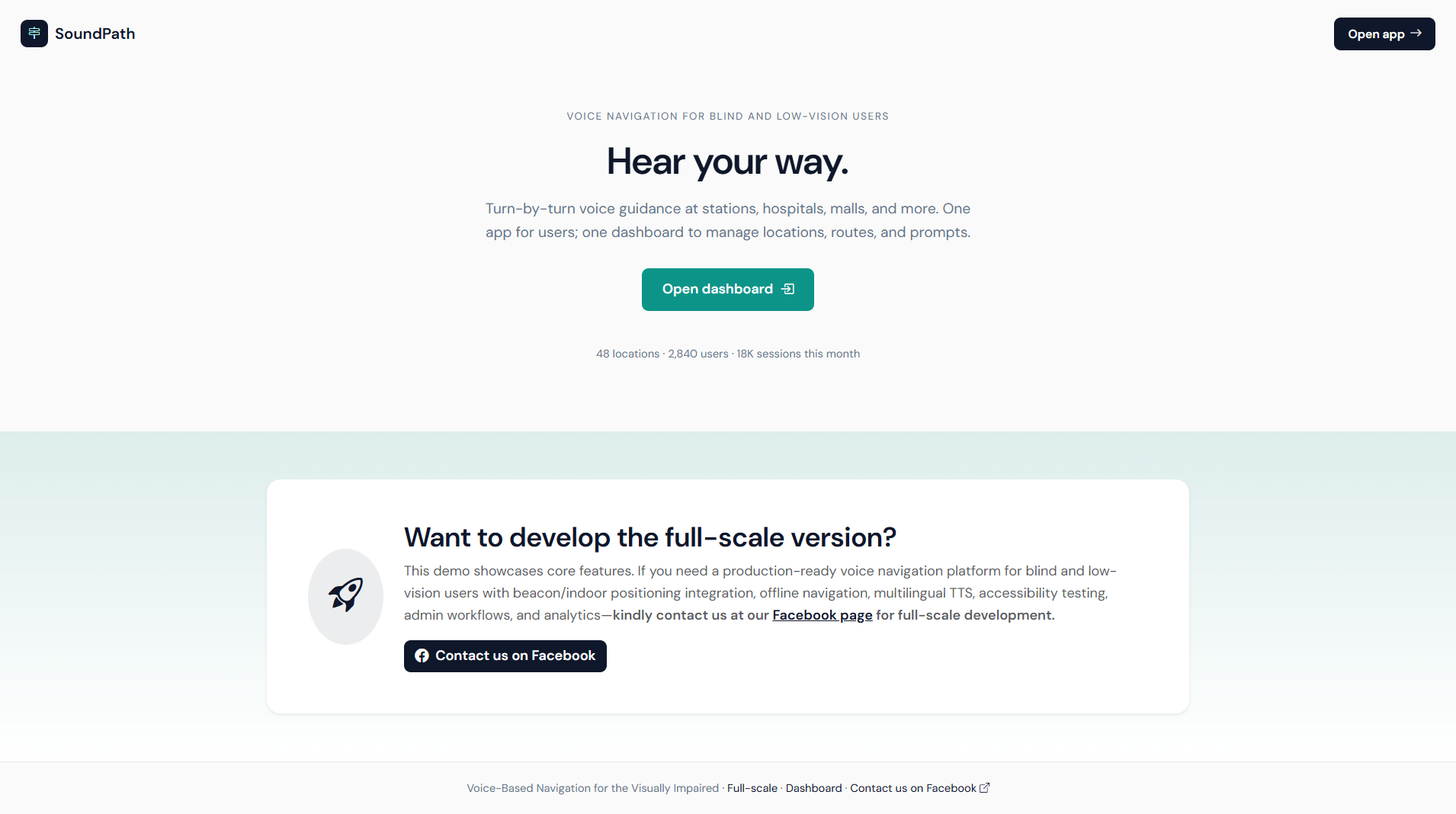
VoicePath isn’t a mobile app you install — it’s a progressive web app (PWA) that works on phones, tablets, or even library computers. You open the site, grant mic access once, and start talking. Say “Take me to City Hall” and it confirms in natural voice: “Heading to City Hall via Main Street. Estimated time 18 minutes. Any preferences — shortest route or wheelchair-friendly?”
The platform combines outdoor GPS, indoor positioning via Wi-Fi/Bluetooth beacons, and public transit APIs. It gives turn-by-turn audio instructions with landmark references (“After the loud fountain, turn right”). We also added crowd-sourced “hazard reports” — users can shout “pothole ahead!” and the system warns others in real time. For families or caregivers, there’s a web dashboard to follow along anonymously.
Early sketches on napkins evolved into complex flowcharts, but the core promise stayed simple: speak naturally, get where you need to go safely. We even included a training mode where new users practice commands with a friendly AI tutor.
The Tech Stack: What Actually Powered It
We wanted something modern, lightweight, and accessible to developers who might want to contribute later. Here’s what we landed on after plenty of trial and error:
- Frontend: React.js with Next.js for server-side rendering (fast initial loads matter when users can’t see loading spinners). We used Tailwind for quick, clean styling and built custom audio components that work beautifully with screen readers.
- Voice Layer: Web Speech API for basic recognition and synthesis, backed by Google Cloud Speech-to-Text for noisy environments and better accent handling. We fine-tuned the model with thousands of recorded commands from visually impaired volunteers.
- Backend: Node.js + Express for the API layer, with Socket.io handling real-time updates (construction alerts, user-reported hazards). Python microservices (FastAPI) managed the heavier routing logic.
- Maps & Navigation: OpenStreetMap for open data + Mapbox GL JS for beautiful (but audio-only) rendering. We integrated OpenRouteService for pedestrian routing and GTFS feeds for live transit data.
- Database: PostgreSQL with PostGIS for spatial queries, plus Redis for caching frequent routes and live user sessions.
- Hosting & Scaling: AWS — EC2 for main servers, S3 for audio clips, Lambda for on-demand speech processing to keep costs down. Docker + Kubernetes made deployment painless.
- Accessibility Extras: Full ARIA compliance, keyboard-only fallback (though voice is primary), and haptic feedback via Web Vibrator API for phone users.
One late-night decision that paid off huge: running lighter models client-side with TensorFlow.js so basic commands work offline. Heavy lifting (complex routes) shifts to the cloud only when needed. That hybrid approach saved us more than once.
Key Features That Users Actually Love
We didn’t just throw tech at the wall — every feature came from real user stories:
- Conversational Interface: Natural language understanding — “Find the nearest pharmacy with Braille signage” actually works.
- Multi-Modal Guidance: Audio + optional vibration patterns + text (for partially sighted users or caregivers).
- Indoor/Outdoor Seamlessness: Switches automatically using Wi-Fi fingerprinting and iBeacon support.
- Community Hazard Map: Voice-reported obstacles appear instantly for everyone.
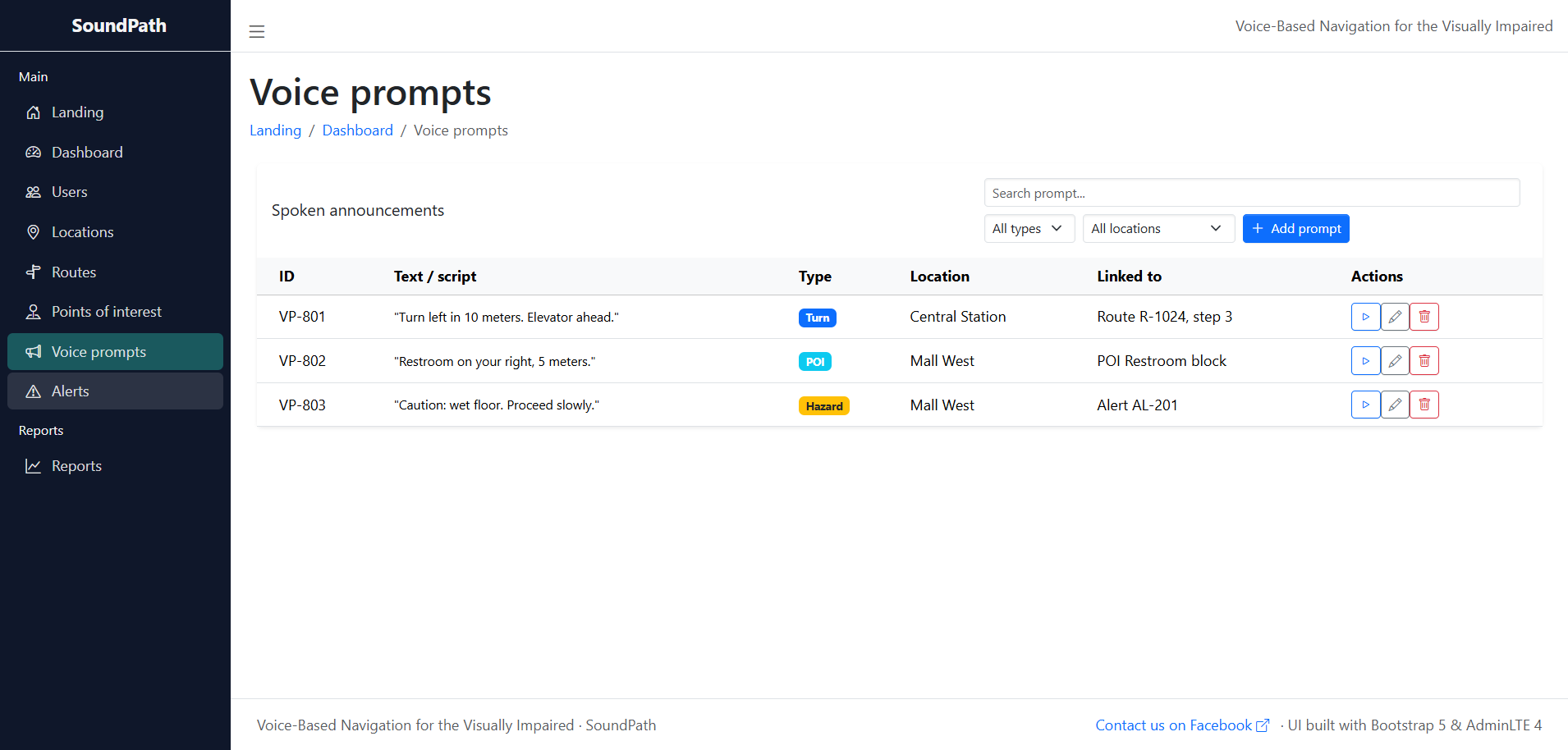
- Progress Dashboard: Web portal for users to review past trips, save favorite routes, or share with trusted contacts.
- Emergency Mode: Say “Help” and it shares your live location with pre-set contacts plus emergency services.
- Training & Customization: Users can teach the system their preferred phrasing or favorite landmarks.
The testing phase was emotional. Watching a beta user navigate a busy mall for the first time without assistance — tears were shed, I won’t lie.
The Tough Parts: What Almost Broke Us
Accuracy in noisy streets was brutal. Early versions kept mishearing “turn left” as “turn right” near traffic. We solved it with noise-cancellation preprocessing and user-corrected training loops.
Privacy was non-negotiable. No location data is stored unless users explicitly opt in, and everything is anonymized. We even open-sourced the privacy architecture so others could audit it.
Offline performance took months. We compressed map tiles and used IndexedDB to cache routes for entire cities. Battery drain was another battle — aggressive throttling and background service workers helped.
Cross-device testing was endless. Cheap Android phones in developing countries behave differently from iPhones. We eventually built an automated voice-test suite that ran 24/7.
Funding was tight too. We started on personal savings and a small grant from an accessibility foundation. Every optimization that cut cloud costs felt like a victory.
Real Impact and the Stories That Matter
Since soft-launching six months ago, VoicePath has helped over 4,200 users in 18 countries. One college student told us he now attends classes without relying on his roommate. A working mom shared how she finally took her kids to the park alone. Those messages in our inbox? Fuel for the next late-night coding session.
Partnerships with transit authorities and NGOs are growing. We’re seeing integration requests from universities and shopping malls wanting to add indoor beacons. The data (anonymized) is already helping city planners understand pedestrian flow in accessible routes.
What’s Next: The Road Ahead
We’re not stopping. Upcoming features include integration with smart canes via Bluetooth, AI-predicted crowd levels (“Main Street is busy right now — quieter route available?”), and full multilingual support for more regions.
Longer term? Open-sourcing the core engine so developers in other countries can adapt it for local languages and transport systems. Maybe even AR glasses integration when the hardware gets affordable.
Final Thoughts: Code That Gives Freedom
Building VoicePath reminded me why I fell in love with software in the first place — not for fancy dashboards or viral metrics, but for creating tools that genuinely change lives. Accessibility isn’t an afterthought; it’s the starting point. If you’re a developer, designer, or just someone passionate about inclusive tech, I’d love to hear your thoughts. Have you worked on similar projects? What would you add to a platform like this?
Drop a comment below or reach out — maybe your idea becomes our next feature. In the meantime, if you know someone who could benefit from VoicePath, the link is live and completely free to use.
Let’s keep building a world where everyone can move freely. One voice command at a time.
You may visit our Facebook page for more information, inquiries, and comments. Please subscribe also to our YouTube Channel to receive free capstone projects resources and computer programming tutorials.
Hire our team to do the project.